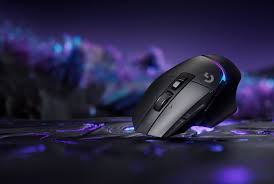
logitech gaming mouse
The world of gaming peripherals has evolved dramatically in recent years, and Logitech gaming mice have stood at the forefront of this transformation. From the early days of basic optical sensors to today’s ultra-light, AI-driven wireless technology, Logitech continues to set the gold standard for precision, performance, and durability in gaming hardware.
Whether you’re a professional eSports player looking for millisecond-level response times, or a casual gamer who wants comfort and accuracy during long sessions, Logitech offers a range of gaming mice that deliver exceptional value.
In this guide, you’ll learn everything there is to know about the Logitech gaming mouse lineup — from the technology behind their sensors to expert tips on choosing the right model for your gaming style.
What Makes Logitech Gaming Mice So Popular?
When you think of high-performance gaming accessories, Logitech is almost always one of the first names that comes to mind. Their success in the gaming mouse industry isn’t by chance — it’s the result of years of innovation, research, and community-driven design.
A Brief History of Logitech in Gaming Peripherals
Founded in 1981 in Switzerland, Logitech began as a company focused on developing computer mice and input devices. By the early 2000s, Logitech entered the gaming world with its G-series lineup, marking the start of a new era in competitive gaming hardware.
The Logitech G series quickly gained popularity for its mix of ergonomics, build quality, and cutting-edge technology, becoming a staple among both professional gamers and everyday users.
Logitech’s Reputation for Performance and Precision
At the heart of Logitech’s success is its relentless focus on sensor innovation. The company’s HERO (High Efficiency Rated Optical) sensor is a breakthrough that delivers up to 25,600 DPI with pixel-perfect accuracy and zero smoothing.
Here’s why Logitech gaming mice are trusted worldwide:
- HERO Sensor Technology – Known for extreme accuracy and power efficiency.
- LIGHTSPEED Wireless – Logitech’s proprietary low-latency wireless technology that rivals wired connections.
- Ergonomic Designs – Fits a wide range of grip styles and hand sizes.
- Customizable Controls – Up to 11 programmable buttons with macro support.
- Durability – Built to withstand millions of clicks (up to 50M+ on most models).
Why Professional Gamers Prefer Logitech Gaming Mice
Professional eSports players rely on gear that performs under extreme pressure — every click, every movement counts. Logitech has built its mice with pro feedback, often working directly with top players to refine designs.
For example:
“The Logitech G Pro X Superlight feels like an extension of my hand — lightweight, precise, and completely lag-free.”
— Pro FPS Player, Global eSports League
Logitech’s combination of low-latency performance, balanced weight, and consistent sensor tracking makes it the go-to choice in global tournaments. From CS2 to Valorant, Fortnite, and Apex Legends, Logitech gaming mice dominate the professional scene.
Quick Facts: Why Gamers Choose Logitech
| Feature | Advantage |
|---|---|
| Sensor Technology | HERO & HERO 2 sensors with up to 25,600 DPI |
| Wireless Performance | LIGHTSPEED technology with <1ms latency |
| Customization | Logitech G HUB for macros, RGB, and profiles |
| Battery Life | Up to 70 hours on a single charge |
| Durability | Mechanical switches rated for 50M+ clicks |
In summary, the Logitech gaming mouse lineup has earned its reputation by focusing on innovation, comfort, and reliability. Whether you choose the Logitech G502 X Plus, the G Pro X Superlight, or a more budget-friendly model like the G305, you’re investing in hardware trusted by the gaming community worldwide.
Understanding the Logitech Gaming Mouse Lineup
When it comes to gaming mice, Logitech offers one of the most diverse and well-engineered product lineups in the industry. The Logitech G Series — the company’s flagship gaming brand — caters to every type of gamer, from competitive professionals to casual players who want a smooth, accurate, and comfortable gaming experience.
Let’s break down the lineup and understand what makes each series special.
Logitech G Series Overview – What the “G” Stands For
The “G” in Logitech G stands for Gaming. It represents Logitech’s dedicated division for eSports-grade peripherals — including keyboards, headsets, and mice — designed to deliver maximum precision and speed.
Within the Logitech G mouse family, you’ll find multiple sub-categories tailored to different gamer needs:
| Logitech G Mouse Model | Type | Key Features | Ideal For |
|---|---|---|---|
| Logitech G Pro X Superlight 2 | Wireless | HERO 2 sensor, ultra-lightweight (60g), LIGHTSPEED wireless | eSports, FPS, competitive gaming |
| Logitech G502 X Plus | Wireless | Adjustable DPI, RGB lighting, mechanical hybrid switches | All-around gaming, productivity |
| Logitech G305 | Wireless | Affordable, compact, HERO sensor | Budget gamers, portable use |
| Logitech G903 Lightspeed | Wireless | Ambidextrous, PowerPlay charging | Left-handed or multi-grip users |
| Logitech G600 MMO | Wired | 20 programmable buttons | MMO/MOBA gamers needing macros |
Each mouse in this lineup combines ergonomic design, customization, and next-gen technology to ensure precision across all gaming genres.
Wired vs. Wireless Logitech Gaming Mouse – Which Is Better?
The debate between wired and wireless gaming mice used to be simple — wired was faster. But Logitech completely changed that narrative with LIGHTSPEED wireless technology.
Wired Logitech Mice
- Zero input lag and no need for charging
- Typically more affordable
- Ideal for stationary setups
- Slightly heavier cable drag (unless using paracord-style cables)
Wireless Logitech Mice
- LIGHTSPEED technology ensures <1ms latency, virtually identical to wired
- No cable drag, offering smoother movements
- Rechargeable or PowerPlay-compatible for infinite wireless power
- Sleeker and more portable design
Winner: For most gamers in 2025, wireless Logitech gaming mice like the G Pro X Superlight 2 or G502 X Plus outperform their wired counterparts without compromise.
Logitech HERO Sensor Technology Explained
The HERO (High Efficiency Rated Optical) sensor is at the heart of Logitech’s mouse innovation. It’s a custom-built optical sensor developed entirely in-house, designed for ultra-high precision and power efficiency.
Key features of the HERO sensor:
- Up to 25,600 DPI sensitivity
- Zero smoothing or acceleration
- True 1:1 tracking
- 10x power efficiency compared to older sensors
- Consistent performance at any speed
The newer HERO 2 sensor (found in the G Pro X Superlight 2) doubles the tracking speed and improves surface compatibility, making it one of the most advanced gaming sensors in the world.
“The HERO 2 sensor redefines wireless accuracy — it’s a true game-changer for competitive play.”
— TechRadar Review, 2025
Logitech LIGHTSPEED vs Bluetooth: What’s the Difference?
Logitech offers both Bluetooth and LIGHTSPEED wireless connections across its lineup, but they serve very different purposes:
| Feature | LIGHTSPEED | Bluetooth |
|---|---|---|
| Latency | <1ms (ideal for gaming) | 8–10ms (noticeable lag) |
| Battery Efficiency | Slightly higher drain | Longer standby battery life |
| Range | Up to 10 meters | Up to 15 meters |
| Use Case | Competitive gaming | Casual use, office tasks |
Bottom line: If your priority is competitive performance, always go for LIGHTSPEED. For multi-device connectivity or productivity use, Bluetooth may be more convenient.
Summary
The Logitech gaming mouse lineup covers an impressive spectrum — from budget-friendly to professional-grade options. Each mouse integrates the brand’s proprietary HERO sensors, LIGHTSPEED wireless, and G HUB customization software to create a truly seamless experience.
Whether you want a wireless Logitech gaming mouse for tournaments or a reliable wired model for all-day play, Logitech has designed something for every gamer — all backed by the same promise of precision, comfort, and performance.
Best Logitech Gaming Mice in 2025 (Updated List)
If you’re looking for the best Logitech gaming mouse in 2025, it depends heavily on what your priorities are: weight, buttons, wireless vs wired, budget, or game type (FPS / MOBA / MMO). Below is a curated list of top Logitech gaming mice, categorized by purpose, along with specs, pros & cons to help you decide.
🔍 Top Logitech Gaming Mice of 2025
Here are some standout models worth considering:
| Category | Model | Highlights |
|---|---|---|
| Best Overall / Versatile | Logitech G502 X Plus | Wireless LIGHTSPEED, HERO 25K sensor, 13 programmable buttons, RGB lighting zones, premium build. (Tom’s Hardware) |
| Best for Competitive FPS | Logitech G Pro X Superlight 2 | Ultra-light design (~60 g), HERO 2 sensor, very high polling rate, ideal for esports. (logitechg.com) |
| Best Budget Wireless | Logitech G305 Lightspeed | Wireless performance with solid battery life, at a lower cost. (griffegaming.com) |
| Best Budget Wired | Logitech G203 Lightsync | Budget-friendly wired gaming mouse with RGB lighting. (GamesRadar+) |
| Best Ambidextrous / Flexible Button Layout | Logitech G903 Lightspeed | Supports ambidextrous layout, PowerPlay charging compatibility, wireless connectivity. (griffegaming.com) |
📌 Spotlight on Key Models
Here’s a deeper look at some of the top picks:
1. Logitech G502 X Plus (Wireless / RGB)
- Uses the HERO 25K optical sensor with up to 25,600 DPI and very high tracking accuracy. (Tom’s Hardware)
- Equipped with LIGHTSPEED wireless connectivity and LIGHTFORCE hybrid optical-mechanical switches. (logitechg.com)
- Has 13 programmable controls/buttons and supports RGB lighting across 8 zones. (logitechg.com)
- Weight is 106 g (which is heavier than ultra-light models, but offers extra buttons & customizability). (Tom’s Hardware)
- Battery life: up to about 130 hours in constant motion (when RGB lighting is off). (support.logi.com)
Who is it for?
Ideal for gamers who want high customization (many buttons), wireless freedom, RGB aesthetics, and are okay with a moderate weight. Great for MOBA / MMO players who also require high accuracy.
Potential drawback: heavier than ultra-light mice, may be less ideal for fingertip or claw grip FPS styles that demand minimal weight.
2. Logitech G Pro X Superlight 2 (Wireless / Esports-grade)
- Extremely lightweight (~60 g) design that reduces fatigue and allows fast aim adjustments. (logitechg.com)
- Uses the HERO 2 sensor with very high speed and accuracy specs. (logitechg.com)
- Offers cutting-edge metrics: very high polling or report rate (e.g. 8000 Hz in some variants) for minimal latency. (B&H Photo Video)
- Battery life is solid (≈ 95 hours constant motion for some models) (B&H Photo Video)
Who is it for?
Competitive gamers, especially FPS / esports-focused players who want minimal lag, fast response, and extremely low weight. This is less about many buttons and more about raw performance.
Trade-offs: More expensive, fewer buttons than multifunction models, may not suit MMO players who prefer many macros.
3. Logitech G305 Lightspeed (Best Budget Wireless Option)
- Offers wireless performance using LIGHTSPEED technology at a much lower price point. (ecommercecollege.com)
- Compact form factor with good battery life. (griffegaming.com)
- Suitable for gamers who want reliable performance but don’t want to spend premium amount.
Who is it for?
Budget-conscious gamers, casual competitive players, those who want wireless but don’t need ultra-light or premium RGB features.
Limitation: fewer extra buttons; might lack advanced features compared to premium models.
4. Logitech G203 Lightsync (Best Budget Wired Option)
- Wired connection ensures no charging needed and more affordable. (GearLab)
- RGB lighting (Lightsync) gives aesthetic customization even on a budget. (GamesRadar+)
- Good choice for beginner gamers or those wanting solid performance without breaking the bank.
Best suited for: Entry-level / casual gamers, or anyone looking for a reliable backup or secondary mouse.
🧠 How to Pick the Best Logitech Gaming Mouse for You
When choosing among the top models above, ask yourself:
- What games do you play?
- FPS / competitive shooters → lean toward Pro X Superlight 2 (low weight, high responsiveness).
- MMO / RTS / general-purpose → G502 X Plus may offer more buttons and comfort.
- Wireless vs Wired:
Wireless removes the cable drag and offers more freedom. Logitech’s wireless (LIGHTSPEED) is good enough even for competitive play. But wired might still be preferred for budget or reliability. - Weight considerations:
Heavier mice can feel more stable for some grip styles; lighter mice reduce fatigue and allow faster flicks. - Customization needs:
If you need many macro buttons (e.g. for streaming, MMO skills, or productivity shortcuts), go for models with more programmable buttons. - Budget:
Premium models cost more; budget models like G305 or G203 give much of the performance at lower cost. - Battery / Charging Features:
Premium mice often support long battery life, USB-C charging, and sometimes wireless charging pads (e.g. PowerPlay systems).
Logitech Gaming Mouse Comparison Chart
With so many models in the Logitech gaming mouse lineup, it’s easy to feel overwhelmed by choices. Each mouse offers a unique blend of performance, ergonomics, and customization features. Whether you value speed, comfort, or programmable controls, understanding their differences is key to choosing the right one.
Below, you’ll find detailed comparison charts that break down specs, performance features, and recommended use cases for Logitech’s most popular models.
Logitech G Pro X Superlight vs Logitech G502 X Plus
| Feature | Logitech G Pro X Superlight 2 | Logitech G502 X Plus |
|---|---|---|
| Sensor | HERO 2 Sensor | HERO 25K Sensor |
| DPI Range | 100 – 32,000 DPI | 100 – 25,600 DPI |
| Weight | ~60g (ultralight) | 106g (customizable weight) |
| Wireless Technology | LIGHTSPEED | LIGHTSPEED |
| Battery Life | Up to 95 hours | Up to 130 hours (RGB off) |
| RGB Lighting | None (to save weight) | LIGHTSYNC RGB (8 zones) |
| Buttons | 5 | 13 programmable |
| Grip Style | Best for claw/fingertip | Best for palm/claw |
| Best For | FPS, eSports, fast reflex gaming | All-purpose, MMO/MOBA, hybrid gaming |
| Charging | USB-C, PowerPlay compatible | USB-C, PowerPlay compatible |
Verdict:
- The G Pro X Superlight 2 is perfect for competitive players who prioritize speed, accuracy, and low weight.
- The G502 X Plus offers versatility and customization, ideal for gamers who switch between genres or need more buttons.
Logitech G703 vs Logitech G305
| Feature | Logitech G703 Lightspeed | Logitech G305 Lightspeed |
|---|---|---|
| Sensor | HERO 25K | HERO 12K |
| DPI Range | 100 – 25,600 | 200 – 12,000 |
| Connection | LIGHTSPEED Wireless | LIGHTSPEED Wireless |
| Battery Life | Up to 60 hours | Up to 250 hours (AA battery) |
| Weight | 95g | 99g |
| PowerPlay Compatible | Yes | No |
| RGB Lighting | Yes (single zone) | No |
| Best For | Competitive gamers seeking balance | Budget gamers needing reliability |
| Price Range (USD) | $80 – $100 | $40 – $60 |
Verdict:
- Choose G703 if you want a mid-tier, wireless, RGB-enabled gaming mouse with smooth ergonomics.
- Pick G305 if you’re budget-conscious but still want LIGHTSPEED performance and great battery life.
Grip Style Comparison – Which Logitech Gaming Mouse Fits You?
Different players use different mouse grip styles, which can dramatically affect comfort and accuracy. Logitech designs its mice to fit various grip types.
| Grip Style | Description | Recommended Logitech Mice |
|---|---|---|
| Palm Grip | Entire hand rests on the mouse; great for comfort and control. | G502 X Plus, G703, G903 |
| Claw Grip | Fingers arched, palm only partially resting; good for fast movements. | G Pro X Superlight 2, G305 |
| Fingertip Grip | Minimal contact, fastest for flick shots; good for low-weight mice. | G Pro X Superlight 2, G203 Lightsync |
Pro Tip:
👉 If you play FPS games like Counter-Strike 2 or Valorant, the Logitech G Pro X Superlight 2 will feel more natural for claw or fingertip grips due to its lightweight design.
👉 If you prefer longer sessions or MMOs like World of Warcraft, the Logitech G502 X Plus supports more macros and provides palm comfort.
Performance Summary Chart
| Model | Sensor | DPI | Buttons | Wireless | RGB | Battery Life | Weight | Best For |
|---|---|---|---|---|---|---|---|---|
| G Pro X Superlight 2 | HERO 2 | 32,000 | 5 | ✅ | ❌ | 95 hrs | 60g | eSports / FPS |
| G502 X Plus | HERO 25K | 25,600 | 13 | ✅ | ✅ | 130 hrs | 106g | All-around gaming |
| G305 | HERO 12K | 12,000 | 6 | ✅ | ❌ | 250 hrs | 99g | Budget wireless |
| G703 | HERO 25K | 25,600 | 6 | ✅ | ✅ | 60 hrs | 95g | Balanced gaming |
| G203 Lightsync | Mercury Sensor | 8,000 | 6 | ❌ | ✅ | — | 85g | Entry-level gaming |
Which Logitech Gaming Mouse Offers the Best Value in 2025?
If you’re unsure where to start:
- 🏆 Best overall: G502 X Plus – unmatched blend of features, comfort, and performance.
- ⚡ Best for esports/FPS: G Pro X Superlight 2 – ultra-light, minimal latency, pro-level accuracy.
- 💸 Best budget wireless: G305 Lightspeed – exceptional performance under $60.
- 🎮 Best wired budget pick: G203 Lightsync – perfect for new gamers or secondary setups.
“Logitech’s 2025 mouse lineup offers something for every gamer. Whether you need precision, endurance, or customization — Logitech has nailed the balance between speed and comfort.”
— PC Gamer Hardware Review (2025)
In summary, the Logitech gaming mouse range remains one of the most comprehensive and reliable collections available. By comparing features like sensor performance, DPI, and ergonomics, gamers can easily find the model that enhances both comfort and in-game precision.
Key Features to Look for in a Logitech Gaming Mouse
Not all gaming mice are created equal. What sets a Logitech gaming mouse apart is the blend of hardware precision, design comfort, and customization. Whether you’re choosing your first gaming mouse or upgrading to a pro-level model, understanding these key features will help you pick the perfect fit for your setup.
1. DPI and Sensitivity Customization
One of the most critical features of any gaming mouse is its DPI (dots per inch) setting — it determines how far your cursor moves based on physical mouse movement. A higher DPI means more sensitivity, while a lower DPI offers better precision for small, accurate movements.
Logitech’s gaming mice use the HERO (High Efficiency Rated Optical) sensor, allowing up to 25,600 DPI on models like the G502 X Plus and G703 Lightspeed, and even 32,000 DPI on the latest G Pro X Superlight 2 with the HERO 2 sensor.
Why DPI matters:
- FPS gamers often use low DPI (400–800) for accuracy.
- MOBA / MMO players might prefer medium DPI (1600–3200) for balance.
- Designers or multitaskers may choose high DPI (6000+) for fast desktop navigation.
You can also create multiple DPI profiles using the Logitech G HUB software to switch instantly between speeds — perfect for sniping or fast rotations mid-game.
Pro tip: Logitech mice like the G502 X Plus feature a “sniper button” that temporarily lowers DPI for ultra-precise shots.
2. Programmable Buttons and Macros
Logitech mice are known for their programmable buttons, a must-have for gamers who want to optimize every action.
For instance:
- The G502 X Plus offers 13 programmable buttons, great for MMO, MOBA, or RTS games.
- The G600 MMO Mouse goes even further with 20 buttons, including a full thumb keypad.
- Even budget models like the G305 and G203 Lightsync come with at least 6 customizable buttons.
Using the G HUB software, you can:
- Assign keystrokes or macros.
- Switch DPI levels or profiles.
- Control media or open apps.
- Customize per-game profiles that auto-load when launching a game.
Example macro setup for FPS players:
| Button | Function |
|---|---|
| Thumb Button 1 | Melee Attack |
| Thumb Button 2 | Reload |
| Sniper Button | DPI Shift (Low Precision Mode) |
| Scroll Tilt | Switch Weapons |
This level of customization makes Logitech gaming mice both powerful and personally adaptable to any playstyle.
3. Weight and Balance Tuning
While ultra-light mice like the Logitech G Pro X Superlight 2 are now the norm for esports, many players still prefer adjustable-weight models for more control and stability.
The G502 series historically included a weight tuning system allowing players to add or remove small metal weights to adjust the mouse’s center of gravity. Although modern versions focus more on lightweight design, balance remains a big deal.
Why weight matters:
- Lighter mice (60–80g) → Best for fast reflex and FPS gameplay.
- Medium (85–100g) → Balanced feel for hybrid and general use.
- Heavy (100g+) → Better for MMO or precision control where stability is key.
Pro tip: Try adjusting grip pressure and DPI before deciding you need a lighter mouse — sometimes a different grip style gives the same speed advantage without changing hardware.
4. Battery Life and Charging Options
Wireless Logitech gaming mice are built for endurance. The brand has refined battery performance to the point where even LIGHTSPEED wireless models rival wired reliability.
Battery Life Overview:
| Model | Connection | Battery Life | Charging Type |
|---|---|---|---|
| G Pro X Superlight 2 | LIGHTSPEED | ~95 hours | USB-C / PowerPlay |
| G502 X Plus | LIGHTSPEED | ~130 hours (RGB off) | USB-C / PowerPlay |
| G305 Lightspeed | LIGHTSPEED (AA battery) | ~250 hours | Replaceable battery |
| G703 Lightspeed | LIGHTSPEED | ~60 hours | Micro USB / PowerPlay |
PowerPlay Wireless Charging System:
Logitech’s proprietary PowerPlay mousepad continuously charges compatible mice during use. This means no cables, no downtime, and consistent wireless performance.
“With PowerPlay, Logitech solved the biggest issue with wireless gaming — charging. You never think about battery life again.”
— IGN Hardware Review
5. RGB Lighting and Logitech G HUB Integration
For many gamers, RGB lighting is not just aesthetics — it’s functionality. Logitech’s LIGHTSYNC RGB system can sync lighting effects across devices and even respond to on-screen events like health bars or music beats.
Customization through Logitech G HUB includes:
- Setting per-zone colors on models like the G502 X Plus.
- Creating reactive effects (e.g., pulsing when low HP in-game).
- Syncing colors with Logitech keyboards, headsets, and speakers.
- Adjusting brightness and sleep timers to conserve battery.
Popular RGB Modes:
- Static Color – consistent glow for clean setups.
- Breathing – soft fade in/out effect.
- Reactive – color changes on clicks or movement.
- Game Integration – lighting linked to in-game stats.
If you prefer minimal setups, mice like the G Pro X Superlight 2 skip RGB altogether for reduced weight — but still integrate seamlessly into the G HUB ecosystem.
6. Build Quality and Durability
Every Logitech gaming mouse is built to endure millions of clicks and high-pressure environments. Logitech uses PTFE (Teflon) feet, reinforced shells, and mechanical hybrid switches (LIGHTFORCE) for long-term durability.
Durability Snapshot:
- Rated for 50M–80M clicks (depending on model).
- PTFE feet ensure smooth gliding across mousepads.
- Advanced switches combine optical precision with tactile mechanical feedback.
Material Highlights:
- Matte coating resists fingerprints.
- Premium models use carbon-neutral or recycled materials (sustainability initiative).
- Scroll wheels are metal-tensioned for accuracy and longevity.
7. Software Features and Cloud Profiles
All modern Logitech gaming mice use the Logitech G HUB software — a central dashboard for managing all your devices, lighting, profiles, and performance settings.
You can:
- Adjust DPI steps and report rate.
- Set custom macros or per-game profiles.
- Sync lighting with other devices.
- Store configurations on the cloud or onboard memory.
For competitive players who switch PCs (e.g., tournaments), onboard memory means your mouse retains DPI, bindings, and macros without needing to reinstall G HUB.
Summary
When evaluating a Logitech gaming mouse, focus on:
- 🎯 Sensor performance (HERO or HERO 2)
- ⚡ LIGHTSPEED wireless technology
- 🔋 Battery endurance / PowerPlay compatibility
- 🖱️ Customizable buttons & G HUB control
- 🌈 LIGHTSYNC RGB effects
- 💪 Durability and ergonomic comfort
Each of these factors contributes to Logitech’s reputation as a leader in gaming peripherals, ensuring that every click and movement feels intuitive, accurate, and consistent.
Logitech Gaming Mouse Setup and Customization
Once you’ve picked the perfect Logitech gaming mouse, the next step is setting it up for maximum performance and comfort. Logitech makes this process incredibly intuitive through its G HUB software and plug-and-play hardware design. Whether you’re gaming competitively or fine-tuning sensitivity for creative work, setup and customization are what make a Logitech mouse truly yours.
1. How to Set Up Your Logitech Gaming Mouse
Setting up a Logitech gaming mouse is quick and simple. Here’s a step-by-step guide:
Step 1: Connect the Mouse
- For wired models:
Plug the USB connector into your PC or laptop. Windows or macOS will automatically detect and install drivers. - For wireless models (LIGHTSPEED):
- Insert the LIGHTSPEED receiver (usually stored inside the mouse or packaging).
- Flip the power switch on underneath the mouse.
- Wait a few seconds for automatic pairing.
- For Bluetooth connection:
- Hold the Bluetooth pairing button until the LED blinks.
- Connect via your computer’s Bluetooth settings.
💡 Pro Tip: Logitech’s LIGHTSPEED connection is recommended for gaming — it offers <1 ms response time and avoids common Bluetooth lag.
2. Installing and Using Logitech G HUB
Once your mouse is connected, download Logitech G HUB — the all-in-one control software for configuring performance, macros, lighting, and profiles.
Installation Steps:
- Visit logitechg.com/ghub.
- Download and install the software (Windows or macOS).
- Open G HUB; it will automatically detect your Logitech gaming mouse.
From here, you can fine-tune every aspect of your mouse.
3. Adjusting DPI, Sensitivity & Polling Rate
Inside G HUB, navigate to the “Sensitivity” tab.
- DPI Settings: You can create multiple DPI “levels” (for example: 400, 800, 1600, 3200).
- Polling Rate: Adjust how often the mouse reports data to the computer.
- 125 Hz = 8 ms response
- 500 Hz = 2 ms
- 1000 Hz = 1 ms (best for competitive gaming)
You can assign DPI shift buttons to cycle between DPI presets mid-game — useful for snipers or precision-based gameplay.
🎯 Example: A pro FPS player may keep 400 DPI for aiming and 1200 DPI for quick camera movement.
4. Button Mapping and Macro Customization
Logitech G HUB lets you assign any command to any programmable button.
Here are some creative ways to customize your Logitech gaming mouse:
| Button | Function Example | Best For |
|---|---|---|
| Side Button 1 | Reload / Action Key | FPS |
| Side Button 2 | Quick Heal / Spell | Battle Royale / RPG |
| Scroll Tilt | Weapon Swap | MOBA / Shooter |
| DPI Shift | Sniper Aim | FPS |
| Top Button | Push-to-Talk | Streaming / Discord |
You can even assign macros, which perform multiple actions with one button press — ideal for MMOs or streaming shortcuts.
How to Create a Macro:
- Open Assignments → Macros → Create New Macro.
- Record key presses or mouse actions.
- Save and assign it to a button.
⚙️ Example: Assign a “Build Wall + Switch Weapon” macro in Fortnite or an “Ultimate Ability” macro in Overwatch 2.
5. Creating Profiles for Different Games
One of the most powerful features of Logitech G HUB is game profiles — your mouse automatically switches settings when you open a specific game or application.
How to Set Up Game Profiles:
- Launch G HUB → Click “+ Add Game.”
- Select your game from the list.
- Customize DPI, button mappings, RGB, and macros for that specific game.
- Save the profile.
Now, every time you launch the game, G HUB automatically applies your preferred setup — no manual switching needed.
Example setups:
- 🎯 Valorant / CS2: 400 DPI, minimal lighting, no macros.
- ⚔️ League of Legends: 1600 DPI, macro buttons for abilities.
- 💡 Video Editing / Design: 1200 DPI, buttons for undo/redo or timeline shortcuts.
6. Syncing RGB Lighting with Logitech LIGHTSYNC
If your Logitech gaming mouse includes RGB lighting, you can sync it across other Logitech G devices for a cohesive look.
Steps to Sync LIGHTSYNC:
- In G HUB, go to LIGHTSYNC → Sync Lighting.
- Select the devices (keyboard, mouse, headset) to synchronize.
- Choose effects:
- Static – one solid color
- Cycle – gradual color transitions
- Reactive – changes with clicks or keystrokes
- Audio Visualizer – responds to music or game sound
🌈 Pro Tip: You can match mouse lighting to in-game actions (e.g., health pulse red when HP is low or flash green on ability cooldown).
7. Using Onboard Memory Mode
High-end models like the G Pro X Superlight 2, G502 X Plus, and G703 have onboard memory. Once profiles are saved to the mouse, you can plug it into another computer — and your settings come with you.
Benefits of Onboard Memory:
- Great for LAN events or tournaments.
- No need to reinstall Logitech G HUB.
- Profiles stay stored even after firmware updates.
8. Firmware Updates and Optimization
Occasionally, Logitech releases firmware updates to improve performance, fix bugs, or add new features.
To update:
- Open G HUB → Settings ⚙️
- Click “Firmware Update” next to your device.
- Wait for the installation (keep the mouse connected).
Firmware updates can optimize sensor precision, improve battery life, or enhance wireless stability.
Summary
Setting up and customizing your Logitech gaming mouse is a crucial step to unlocking its full potential.
With G HUB software, you can:
- 🎯 Adjust DPI and response rates
- ⚡ Map buttons or macros
- 🌈 Sync RGB across devices
- 💾 Save onboard profiles
- 🔋 Optimize performance with firmware updates
By tailoring each setting to your specific needs, you transform your mouse from a tool into a personalized extension of your gameplay.
Common Questions About Logitech Gaming Mice
When researching or buying a Logitech gaming mouse, you’re bound to have a few questions. Below are the most common queries gamers ask — along with expert, data-backed answers to help you make the best decision.
1. Are Logitech gaming mice good for competitive gaming?
Absolutely — Logitech gaming mice are among the most popular choices for esports professionals worldwide.
Models like the Logitech G Pro X Superlight 2 and G Pro Wireless are specifically designed for competitive FPS games such as Valorant, Counter-Strike 2, and Apex Legends.
Why pros prefer Logitech:
- HERO 2 sensor with up to 32,000 DPI for unmatched precision.
- LIGHTSPEED wireless technology for <1 ms latency.
- Ultra-lightweight design (as low as 60g).
- Durable, zero-delay switches for consistent performance.
🎮 Did you know? Over 60% of esports players in major tournaments use a Logitech G-series mouse. (Source: Esports Charts, 2024)
2. Which Logitech gaming mouse is best for FPS games?
For FPS (First-Person Shooter) players, precision and low latency are everything.
Top Logitech gaming mice for FPS:
| Model | Key Features | Ideal For |
|---|---|---|
| G Pro X Superlight 2 | 60g, HERO 2 Sensor, LIGHTSPEED Wireless | Esports / Competitive FPS |
| G502 X Plus | Customizable buttons, Sniper DPI Shift | Tactical FPS / Casual Gaming |
| G Pro Wireless | Lightweight, Ambidextrous | Left/Right-handed FPS players |
| G303 Shroud Edition | Designed with Shroud, ultra-precise shape | Pro-level Aim Control |
Pro Tip: For sniping or tactical shooters, use low DPI (400–800) and assign a sniper button for instant sensitivity reduction.
3. Are Logitech gaming mice good for MMOs or RPGs?
Yes — Logitech has dedicated models for MMO and RPG players, focusing on multi-button functionality and macros.
Best options:
- Logitech G600 MMO Mouse: 20 programmable buttons, G-Shift key doubles assignments.
- G502 X Plus: 13 customizable buttons, ideal for hybrid gaming.
These mice allow you to bind abilities, spells, and items directly to your mouse — saving valuable seconds in battle.
Example Macro Setup for RPGs:
| Button | Action |
|---|---|
| Thumb 1 | Health Potion |
| Thumb 2 | Skill Combo |
| Top Button | Ultimate Ability |
4. What is LIGHTSPEED wireless technology?
LIGHTSPEED is Logitech’s proprietary wireless technology that delivers wired-like performance without cables.
Unlike standard Bluetooth, LIGHTSPEED provides:
- 1 ms report rate (virtually zero lag).
- Adaptive frequency hopping to avoid interference.
- Up to 95–130 hours battery life (depending on model).
When paired with Logitech’s PowerPlay charging system, LIGHTSPEED mice charge continuously while you play — ensuring zero downtime.
⚡ Think of it as a “wired feel” — but completely wireless.
5. How long do Logitech gaming mice last?
Logitech gaming mice are built for long-term durability and heavy daily use.
Typical lifespan: 5–7 years with proper care.
Durability Specs:
- Mechanical or hybrid switches rated for 50–80 million clicks.
- PTFE (Teflon) feet for smooth, long-lasting glide.
- Reinforced plastic shells for shock resistance.
Some users have reported using the same Logitech G-series mouse for over a decade without major issues.
6. Can I use a Logitech gaming mouse for work or productivity?
Definitely! While designed for gaming, Logitech mice are excellent for creative professionals and office users too.
Why it’s great for productivity:
- Customizable macros (e.g., copy, paste, switch tabs).
- High-precision sensors for design and editing work.
- Comfortable ergonomics for long hours.
For example, designers often use the G502 X Plus for Photoshop shortcuts or the G Pro Wireless for ultra-smooth navigation on large monitors.
7. Are Logitech gaming mice compatible with Mac and consoles?
Yes — most Logitech gaming mice are compatible with:
- Windows
- macOS
- Linux
- PlayStation 5
- Xbox Series X/S
💡 Note: G HUB software (for advanced customization) works best on Windows and macOS. Consoles will still recognize core functions (movement, clicks, basic DPI).
8. How do I clean and maintain my Logitech gaming mouse?
Keeping your Logitech gaming mouse clean enhances its performance and longevity.
Maintenance Tips:
- Unplug the mouse before cleaning.
- Use a soft microfiber cloth for the surface.
- Clean crevices with compressed air or a soft brush.
- Wipe the sensor gently with a cotton swab dipped in isopropyl alcohol.
- Avoid moisture near buttons or scroll wheels.
Cleaning Frequency:
- Light users: once a month.
- Heavy gamers: every 1–2 weeks.
9. What’s the difference between HERO and HERO 2 sensors?
Logitech’s HERO sensors are the brains behind their precision.
| Feature | HERO Sensor | HERO 2 Sensor |
|---|---|---|
| Max DPI | 25,600 | 32,000 |
| Power Efficiency | Excellent | 2x More Efficient |
| Tracking Speed | 400 IPS | 500+ IPS |
| Sensor Architecture | Single Lens | Dual-Lens for higher accuracy |
| Introduced In | G502 Hero | G Pro X Superlight 2 |
In short: HERO 2 offers more accuracy, faster response, and better energy efficiency — ideal for next-gen wireless performance.
10. Are Logitech gaming mice worth the price?
Yes — while Logitech gaming mice may cost slightly more than generic models, they offer exceptional build quality, innovation, and support longevity that justify the price.
Reasons they’re worth it:
- Industry-leading sensor accuracy (HERO 2).
- Long-term durability (millions of clicks).
- LIGHTSPEED and PowerPlay technology.
- Customizable ergonomics and G HUB software.
In short, a Logitech gaming mouse is an investment in performance — one that lasts for years.
11. Where can I buy a Logitech gaming mouse?
You can purchase Logitech gaming mice from:
- LogitechG.com (official store)
- Amazon, Best Buy, Newegg, and Walmart
- Authorized resellers and esports stores
🛒 Pro Tip: Always buy from verified sellers to ensure warranty coverage and genuine products.
12. Do Logitech gaming mice come with a warranty?
Yes — most Logitech G mice come with a 2-year limited hardware warranty.
You can register your device on logitech.com/support to check warranty status and claim repairs or replacements if needed.
Summary
Whether you’re a competitive gamer, a casual player, or a creative professional, Logitech offers a mouse that fits your needs.
These FAQs covered:
- Performance & technology
- Compatibility
- Maintenance
- Longevity
- Buying & warranty info
By understanding these key points, you can confidently choose the right Logitech gaming mouse and keep it performing at its peak for years to come.
Conclusion: Choosing the Best Logitech Gaming Mouse for Your Needs
A Logitech gaming mouse is more than just a peripheral — it’s a precision tool that can transform how you play, create, and work. Whether you’re a competitive esports player or a casual gamer, Logitech’s lineup covers every need, preference, and budget.
Over the years, Logitech has built a reputation for innovation, reliability, and ergonomic design, making it a favorite in both gaming and professional environments.
1. Quick Recap: Why Logitech Leads the Market
Let’s summarize the core reasons why Logitech gaming mice remain at the top:
| Feature | Logitech Advantage |
|---|---|
| Sensor Precision | HERO & HERO 2 sensors offer unmatched accuracy (up to 32,000 DPI). |
| Wireless Tech | LIGHTSPEED delivers 1 ms latency — no lag, no dropouts. |
| Customization | G HUB software allows deep macro, RGB, and DPI personalization. |
| Durability | 50M–80M click-rated switches and premium materials. |
| Design Variety | From ultra-light FPS mice to multi-button MMO beasts. |
| Battery & Charging | Long-lasting with PowerPlay continuous charging. |
Every model, from the G203 Lightsync to the G Pro X Superlight 2, represents Logitech’s commitment to combining technology and comfort for a seamless experience.
2. Best Logitech Gaming Mouse by Category (2025)
Here’s a curated list to help you find the perfect match:
| Category | Recommended Model | Key Highlights |
|---|---|---|
| 🎯 Best Overall | Logitech G Pro X Superlight 2 | HERO 2 sensor, 60g weight, pro-level precision. |
| ⚡ Best Wireless | G502 X Plus | LIGHTSPEED + RGB + 13 programmable buttons. |
| 🧙♂️ Best for MMO / RPG | G600 MMO Mouse | 20 buttons, G-Shift double function. |
| 🎮 Best Budget Option | G305 Lightspeed | Affordable, 250-hour battery life, wireless freedom. |
| 🧩 Best Ergonomic Choice | G703 Lightspeed | Comfortable palm grip, wireless performance. |
| 🔧 Best Customizable | G502 HERO | Adjustable weights, wired reliability, and macro flexibility. |
💡 Pro Tip: If you play across multiple genres, the G502 X Plus is the most balanced option — great for FPS, MMOs, and general use.
3. Buying Tips Before You Decide
Before buying a Logitech gaming mouse, consider the following factors:
✅ 1. Grip Style
- Palm Grip: G703 or G502 for larger hands.
- Claw Grip: G Pro X Superlight or G305 for agility.
- Fingertip Grip: G Pro X Superlight for fastest response.
✅ 2. Connection Type
- Prefer LIGHTSPEED Wireless for performance and convenience.
- Go wired (G502 HERO) if you want zero charging hassle.
✅ 3. DPI and Playstyle
- FPS or precision tasks → 400–1600 DPI.
- MMO, casual, or editing → 2000–6000 DPI.
- Ultra-high DPI (10,000+) is best for large monitors or multi-display setups.
4. Real-World Example: Why Esports Pros Use Logitech
“I’ve been using the G Pro X Superlight for over two years now — it’s light, precise, and reliable. You forget the mouse is even there.”
— S1mple, CS2 Esports Champion
Esports pros prefer Logitech not just for speed, but for consistency. Every click, every flick, every moment feels predictable — which is exactly what’s needed when victory depends on milliseconds.
5. Sustainability and Innovation
Beyond gaming, Logitech is also a leader in sustainable technology.
Most new models, including the G502 X and G Pro X Superlight 2, are carbon-neutral and made with recycled plastics. Packaging is now fully recyclable, aligning with Logitech’s commitment to a greener future for tech.
6. Final Thoughts
In the end, the best Logitech gaming mouse depends on your gaming style, grip preference, and budget.
But one thing’s certain: Logitech continues to dominate the market by blending performance, comfort, and innovation into every model. Whether you’re chasing leaderboard glory or just want smoother control, there’s a Logitech G mouse built perfectly for you.
7. Meta Description (for SEO)
Meta Description (155–160 characters):
Discover the best Logitech gaming mouse for every gamer. Explore features, reviews, and expert buying tips for precision, comfort, and performance.
8. Call to Action
Looking to upgrade your setup?
Check out the full lineup on LogitechG.com and find the perfect Logitech gaming mouse to elevate your gameplay today.